ARTICLE
Top Tools to Work Smarter in 2026
Discover the essential productivity tools for 2026 that can enhance your workflow and efficiency in the modern workplace.
Sudais Azlan
13 min read
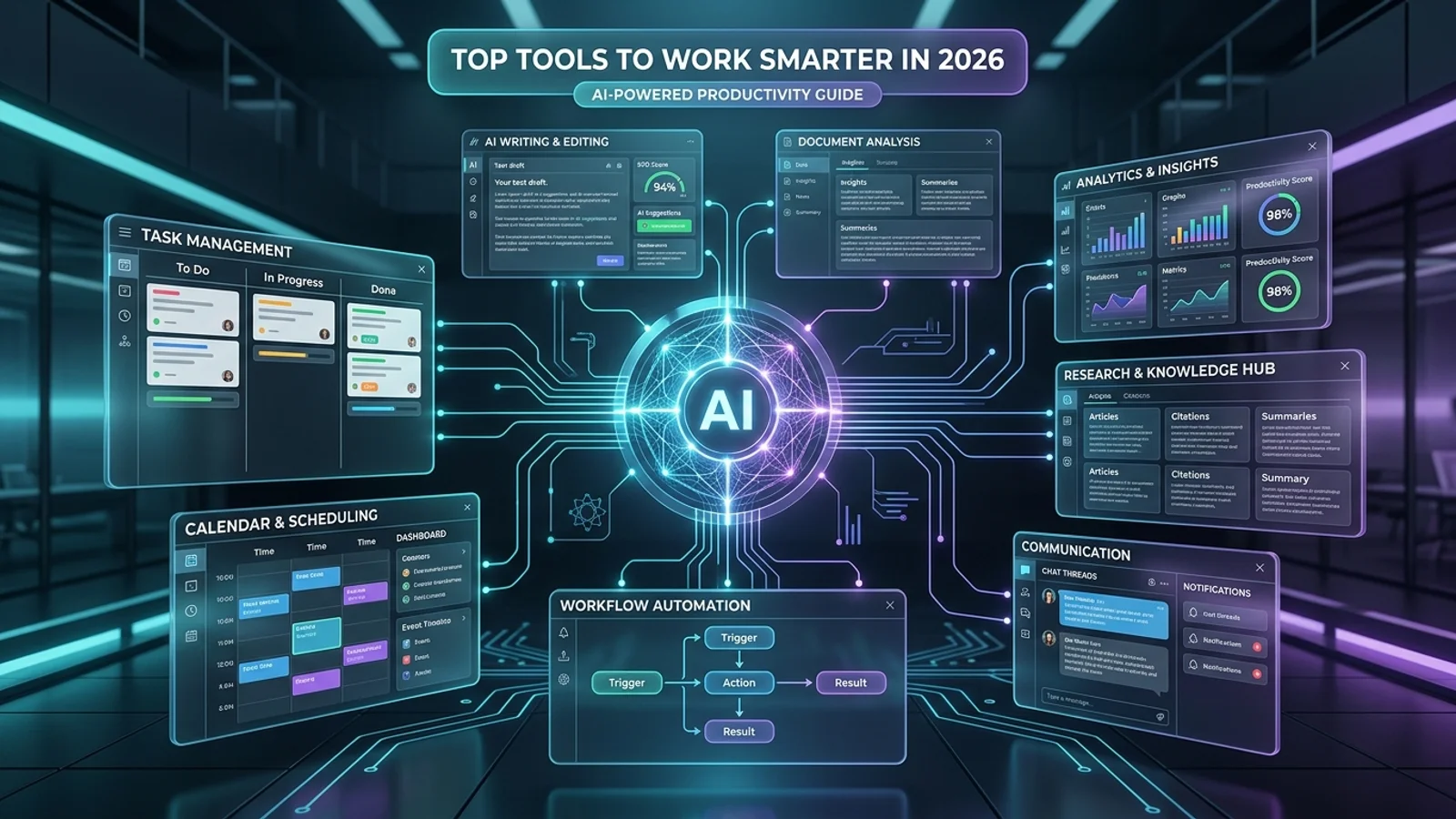
Top Tools to Work Smarter in 2026
Productivity Tools in 2026
The modern workplace is increasingly shaped by AI-powered productivity tools that can help people write faster, organize information, manage tasks, automate repetitive workflows, conduct research, and collaborate more effectively. In 2026, the most useful tools are not necessarily the ones with the largest number of features. The better choice is usually the tool that solves a specific workflow problem and fits naturally into the way you already work.
AI productivity software now covers a wide range of activities, including writing and analysis, research, project management, meeting notes, scheduling, knowledge management, software development, and workflow automation. Recent 2026 productivity guides consistently highlight the importance of choosing tools according to the task they improve rather than simply collecting as many AI applications as possible.
This guide explores the top categories of tools that can help you work smarter in 2026, explains what each category is designed to accomplish, and shows how to build a practical productivity stack without creating unnecessary complexity.
01
AI Assistants
Help with writing, brainstorming, summarization, analysis, coding, research, and everyday knowledge work.
02
Knowledge Tools
Organize documents, notes, project information, and internal knowledge so important information is easier to find.
03
Automation Platforms
Connect applications and automate repetitive workflows that would otherwise require manual effort.
04
Planning and Focus
Support task management, calendar planning, prioritization, and focused work throughout the day.
Core Principle
Work Smarter by Improving the Workflow, Not by Adding More Apps
A productive technology stack should reduce friction rather than create more complexity. Before adopting a new tool, identify the repetitive, time-consuming, or difficult part of your workflow and then choose a solution that directly addresses that problem.
Choosing the Right Tools
How to Choose the Best Productivity Tools in 2026
Choosing productivity software should begin with your workflow rather than the popularity of a particular application. A tool can be technically impressive but still provide little value if it does not solve a real problem in your daily work.
The most important factors include the type of work you perform, the applications you already use, how much automation you need, the quality of AI features, integration capabilities, privacy requirements, ease of use, and the total cost of maintaining the tool.
01
Identify the Bottleneck
Determine which part of your workflow consumes the most unnecessary time, such as writing, meetings, research, scheduling, or repetitive data entry.
02
Check Integrations
A productivity tool becomes more useful when it connects with the applications where your existing work already happens.
03
Evaluate AI Features
Look for AI capabilities that actually reduce manual work instead of features that simply add an AI label to an existing workflow.
04
Consider Cost
Compare subscription costs against the amount of time, effort, and operational work the tool can realistically save.
05
Review Privacy
Understand how the service handles uploaded files, business data, personal information, and connected accounts before using it for sensitive work.
06
Measure the Result
Track whether the tool actually improves speed, quality, consistency, organization, or focus after it becomes part of your workflow.
| Question | What to Evaluate | Why It Matters |
|---|---|---|
| What problem does it solve? | Specific workflow bottleneck | Prevents adopting tools without a clear purpose |
| Does it integrate with existing software? | Apps, files, calendars, communication platforms, and APIs | Reduces context switching and manual data transfer |
| Is the AI genuinely useful? | Automation, summarization, reasoning, generation, or search | Ensures AI features provide measurable value |
| Is it worth the cost? | Time saved compared with subscription and setup costs | Helps build a sustainable productivity stack |
AI Assistants
AI Assistants for Writing, Research, Analysis, and Everyday Work
General-purpose AI assistants have become one of the most flexible productivity categories in 2026. They can support writing, summarization, brainstorming, document analysis, research, coding, planning, and many other knowledge-work tasks from a single conversational interface.
Current 2026 productivity guides commonly place tools such as ChatGPT, Claude, and Gemini among the leading general-purpose AI assistants, while specialized tools can be added for research, meetings, scheduling, documentation, or automation. :contentReference[oaicite:1]{index=1}
01
Writing Assistance
Draft outlines, improve clarity, summarize information, and transform rough ideas into structured written content.
02
Research and Analysis
Help organize information, compare concepts, analyze documents, and support research workflows when used with appropriate verification.
03
Coding Support
Generate code examples, explain programming concepts, troubleshoot errors, create documentation, and assist with software development.
04
Task Planning
Break complex goals into smaller steps, organize priorities, and help turn unstructured ideas into actionable plans.
| Tool Category | Best Used For | Productivity Benefit |
|---|---|---|
| General AI Assistant | Writing, analysis, planning, coding, and brainstorming | One flexible interface for many knowledge tasks |
| AI Research Tool | Research and source discovery | Reduces time spent searching and organizing information |
| AI Meeting Tool | Transcription, summaries, and action items | Reduces manual note-taking and follow-up work |
| AI Coding Assistant | Code generation, explanation, and debugging | Accelerates repetitive development tasks |
Practical Strategy
Start With One General AI Assistant
Instead of subscribing to several overlapping AI assistants, start with one general-purpose tool and identify the tasks where it creates the most value. Once a specific bottleneck remains, add a specialized tool for that workflow rather than creating an unnecessarily complicated collection of applications.
This approach makes it easier to measure productivity improvements, control costs, reduce context switching, and develop a consistent AI workflow that can evolve as your needs change.
Research and Knowledge Management
AI Research and Knowledge Management Tools for Faster Information Work
Finding, understanding, organizing, and retrieving information can consume a significant amount of time during professional and academic work. AI research and knowledge management tools are designed to reduce this friction by helping users search for information, summarize documents, organize notes, analyze sources, and retrieve relevant knowledge more efficiently.
These tools are particularly useful for researchers, students, developers, writers, analysts, and business teams that regularly work with large collections of documents and online information. The most effective approach is to use AI to accelerate discovery and organization while maintaining appropriate verification for important facts and conclusions.
01
AI-Powered Search
AI search tools can help users discover relevant information and organize results around a specific question or research objective.
02
Document Analysis
AI can help summarize lengthy documents, identify important sections, extract information, and answer questions about provided material.
03
Knowledge Organization
Knowledge platforms help organize notes, project information, references, documents, and ideas into searchable workspaces.
04
Source-Based Research
Research-focused AI tools can help surface sources and provide structured answers that make information discovery more efficient.
Smarter Research Workflow
Turn Information Overload Into a Structured Workflow
Discover
Find relevant sources, documents, and information related to the research question.
Understand
Use AI to summarize complex material and identify important concepts.
Organize
Store useful findings, notes, references, and project information in a structured knowledge system.
Verify
Check important claims against reliable primary or authoritative sources before using them in important work.
| Tool Category | Primary Use | Best For |
|---|---|---|
| AI Search | Discover and summarize information | Research and information discovery |
| AI Note-Taking | Capture and organize ideas | Students, researchers, and knowledge workers |
| Document AI | Analyze and summarize files | Reports, papers, contracts, and internal documents |
| Knowledge Base | Store and retrieve structured information | Teams, projects, documentation, and long-term knowledge |
Important Consideration
Use AI to Accelerate Research, Not to Replace Verification
AI-generated summaries and answers can make research significantly faster, but they should not automatically be treated as authoritative. Important facts, statistics, quotations, technical claims, and professional decisions should be checked against reliable sources.
A strong research workflow combines AI-assisted discovery and organization with human judgment, source evaluation, and verification. This balance makes knowledge-management tools useful without creating unnecessary dependence on automatically generated information.
Project and Task Management
AI Project Management Tools for Planning, Prioritization, and Execution
Managing projects effectively requires more than maintaining a simple to-do list. Modern project management platforms increasingly combine task organization, team collaboration, scheduling, documentation, automation, and AI-powered assistance to help individuals and teams move from planning to execution with less administrative overhead.
AI-powered project management tools can help break large objectives into actionable tasks, summarize project information, identify priorities, generate updates, organize workflows, and surface information that may otherwise be difficult to track. Their greatest value comes from reducing repetitive coordination work while keeping people responsible for important decisions.
01
Task Planning
Convert project goals into structured tasks, milestones, deadlines, and actionable steps that are easier to execute.
02
Prioritization
Organize tasks according to urgency, importance, dependencies, and project objectives to create a clearer execution plan.
03
Workflow Automation
Automate repetitive project actions such as assigning tasks, updating statuses, sending notifications, and moving information between steps.
04
Progress Tracking
Monitor deadlines, completed work, bottlenecks, dependencies, and project progress from a centralized workspace.
Project Workflow
From Project Idea to Completed Work
01
Define
Establish the project objective and expected outcome.
02
Break Down
Divide the objective into manageable tasks and milestones.
03
Prioritize
Determine which tasks should receive attention first.
04
Execute
Complete tasks while tracking dependencies and progress.
05
Review
Evaluate results and improve the workflow for future projects.
| Tool Category | Primary Function | Productivity Value |
|---|---|---|
| Task Manager | Organizes tasks, deadlines, and priorities | Creates clarity around daily execution |
| Project Workspace | Combines tasks, documents, timelines, and collaboration | Centralizes project information |
| AI Project Assistant | Summarizes projects and assists with planning | Reduces administrative and coordination work |
| Workflow Automation | Automates repetitive project actions | Reduces manual process management |
Where AI Helps
Reduce Administrative Work
AI can assist with repetitive planning and coordination activities, allowing teams to spend more time on problem-solving, communication, creative work, and decisions that require human judgment.
Human Responsibility
Keep Important Decisions Human
AI-generated priorities, schedules, and project recommendations should be treated as assistance rather than automatic authority. Teams should review important decisions, deadlines, dependencies, and resource requirements before acting on them.
Key Takeaway
The Best Project Management Tool Creates Execution Clarity
The purpose of an AI-powered project management platform is not to make project management more complicated. Its value comes from making goals, responsibilities, priorities, deadlines, and progress easier to understand so individuals and teams can spend more time executing meaningful work.
AI Writing and Content Creation
AI Writing Tools for Faster Content Creation and Better Communication
Writing is a major part of modern knowledge work, from emails and reports to blog articles, documentation, presentations, marketing content, and social media. AI writing tools can help reduce the time required to move from an initial idea to a clear and structured piece of content.
The most useful AI writing workflows do not simply ask a model to generate an entire document. Instead, AI can support different stages of the writing process, including brainstorming, outlining, drafting, editing, summarization, rewriting, and quality improvement. Human review remains important for accuracy, originality, tone, and context.
01
Brainstorming
Generate ideas, angles, headlines, outlines, questions, and possible approaches before starting the writing process.
02
Drafting
Turn structured ideas into initial drafts for articles, emails, reports, documentation, and other professional content.
03
Editing
Improve clarity, structure, grammar, readability, consistency, and tone while preserving the intended meaning of the original content.
04
Repurposing
Transform existing material into summaries, social posts, newsletters, presentation points, or other formats for different audiences.
AI Writing Workflow
A Smarter Approach to AI-Assisted Writing
01
Define
Establish the purpose, audience, topic, and desired outcome.
02
Outline
Create a logical structure before generating detailed content.
03
Generate
Use AI to create a draft based on the defined requirements.
04
Refine
Improve language, structure, accuracy, tone, and usefulness.
05
Review
Verify important information and apply final human judgment.
| Content Type | How AI Can Help | Human Focus |
|---|---|---|
| Blog Articles | Research organization, outlines, drafting, and editing | Accuracy, expertise, originality, and final editorial judgment |
| Professional Emails | Drafting, rewriting, and tone adjustment | Context, relationships, and final wording |
| Documentation | Structure, explanations, summaries, and formatting | Technical correctness and completeness |
| Marketing Content | Ideas, variations, headlines, and content adaptation | Brand voice, strategy, claims, and audience understanding |
Content Quality
AI Should Support Better Content, Not Just More Content
Generating large amounts of text does not automatically create useful content. Effective AI-assisted writing focuses on relevance, clarity, originality, factual accuracy, audience needs, and a clear purpose.
Human Oversight
Review AI-Generated Content Before Publishing
AI-generated content can contain inaccurate claims, outdated information, or wording that does not match the intended audience. Human review is therefore essential for professional, technical, and public-facing content.
Key Takeaway
Use AI as a Writing Partner, Not a Replacement for Expertise
The strongest AI writing workflows combine machine-assisted speed with human expertise, judgment, and creativity. When used strategically, AI writing tools can reduce repetitive work and give professionals more time to focus on ideas, decisions, and high-value communication.
Final Reflection
The Best Productivity Tools in 2026 Are Designed to Make Work Smarter
The productivity landscape in 2026 is increasingly shaped by artificial intelligence, automation, connected applications, and intelligent workflows. The most valuable tools are not necessarily the platforms with the largest feature lists. Instead, they are the solutions that remove repetitive work, improve access to information, reduce context switching, and help people focus on higher-value activities.
AI assistants, research platforms, project management systems, writing tools, automation platforms, and knowledge-management applications can work together to create a more efficient digital workflow. However, productivity does not come from using more software. It comes from selecting the right tools for specific problems and integrating them into a simple, sustainable workflow.
01
Automate Repetitive Work
Use automation and AI to reduce repetitive tasks that consume time without requiring significant human judgment.
02
Centralize Knowledge
Keep important documents, notes, projects, and information organized so they can be accessed efficiently when needed.
03
Choose Tools Strategically
Select software according to real workflow problems instead of collecting applications simply because they are popular.
04
Keep Humans in Control
Human judgment remains important for important decisions, sensitive information, quality control, and responsible use of AI.
| Traditional Workflow | AI-Enhanced Workflow | Long-Term Benefit |
|---|---|---|
| Manual repetitive tasks | AI-assisted automation | More time for high-value work |
| Information scattered across applications | Connected knowledge and search systems | Faster information retrieval |
| Manual content creation | AI-assisted drafting and editing | Faster communication and content production |
| Isolated applications | Integrated productivity workflows | Less context switching and duplication |
Final Takeaway
Work Smarter by Building a Simple and Intelligent Tool Stack
The goal of productivity technology should not be to fill your workflow with more applications. A better approach is to identify the tasks that repeatedly consume time, select tools that address those bottlenecks, and connect them into a workflow that remains simple enough to maintain.
As AI continues to evolve in 2026, the people and organizations that benefit most will be those that combine intelligent tools with clear processes, human expertise, responsible data practices, and continuous workflow improvement. The smartest productivity stack is ultimately the one that helps you spend less time managing work and more time doing meaningful work.