ARTICLE
Best AI Tools for Content Creation: Writing, Images, Video, and More
Discover the top AI tools for content creation in writing, images, video, and more to enhance your digital content strategy.
Sudais Azlan
17 min read
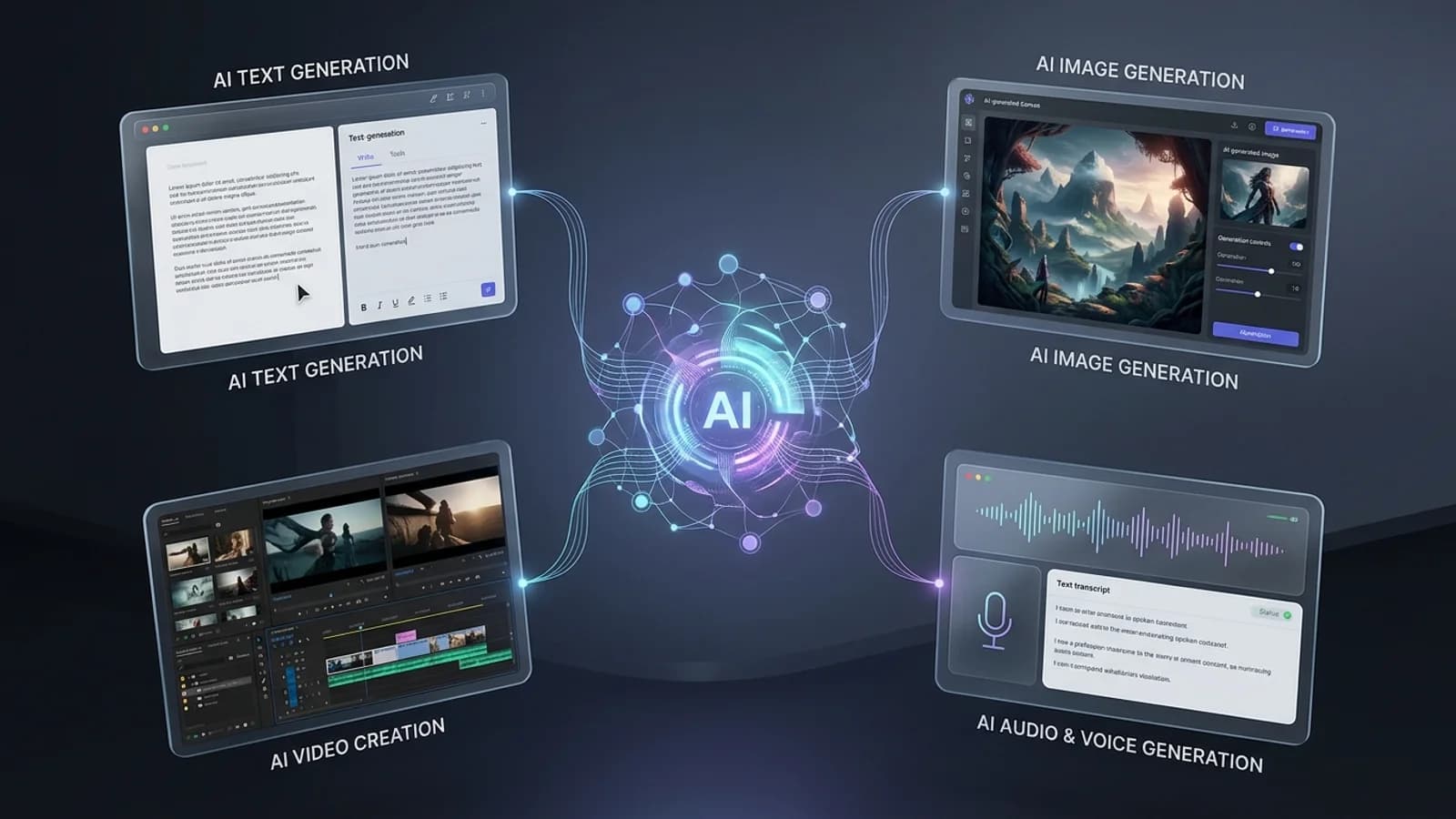
Best AI Tools for Content Creation: Writing, Images, Video, and More
AI Content Creation
Artificial intelligence is rapidly changing how digital content is created, edited, optimized, and distributed. What once required separate tools and significant manual effort can now be supported by AI-powered platforms that help creators write articles, generate images, produce videos, create audio, design graphics, and improve content workflows.
The best AI content creation tools are not limited to generating text. Modern AI platforms can support almost every stage of the creative process, from brainstorming an initial idea to producing visual assets, editing videos, generating voiceovers, optimizing content for search engines, and preparing material for different digital platforms.
However, choosing the right AI tool can be difficult because different platforms are designed for different purposes. Some are optimized for writing, while others focus on image generation, video production, presentations, audio, social media, or complete content workflows. Understanding these categories makes it easier to select tools based on specific creative and professional requirements.
What This Guide Covers
A Practical Overview of AI Tools for Modern Content Creation
This guide explores major categories of AI content creation tools and explains how they can be used for writing, image generation, video production, audio creation, design, research, content optimization, and workflow automation.
Writing
Articles, blogs, copy, ideas, and editing.
Images
Illustrations, graphics, concepts, and visual assets.
Video
Video generation, editing, animation, and production.
More
Audio, design, research, presentations, and automation.
Understanding AI Content Tools
What Are AI Content Creation Tools and How Do They Work?
AI content creation tools are software applications that use artificial intelligence models to assist with or automate parts of the creative process. Depending on the platform, these systems can understand natural language instructions, analyze existing content, generate new material, transform one type of media into another, or provide recommendations for improving the final result.
Many modern content creation platforms are powered by generative AI models. Large language models can generate and transform text, while multimodal and generative models can work with combinations of text, images, audio, and video. This allows creators to move from a simple instruction or concept toward a finished piece of digital content more quickly.
AI
Traditional Content Workflow
A traditional workflow often requires creators to manually research, write, design, edit, record, produce, and optimize content using multiple specialized applications.
Gen
AI-Assisted Content Workflow
AI tools can assist with research, ideation, drafting, visual generation, editing, optimization, and content transformation while creators remain responsible for direction and quality control.
Typical AI Content Workflow
Idea
→
Research
→
Generation
→
Editing
→
Optimization
→
Publishing
01
Understands Instructions
AI systems can interpret natural-language prompts describing the content a creator wants to produce.
02
Generates Content
Depending on the model, the system can generate text, images, audio, video, designs, or other forms of digital content.
03
Transforms Existing Media
AI can also rewrite, summarize, translate, enhance, edit, or transform existing content into different formats.
04
Supports Creators
The strongest workflows combine AI assistance with human judgment, creativity, editing, and final quality control.
AI Tool Categories
Types of AI Content Creation Tools You Should Know
AI content creation is now a broad category that includes many different types of software. Rather than looking for one tool that does everything, creators can select specialized AI platforms based on the type of content they need to produce and the stage of their workflow they want to improve.
Some platforms focus on text generation, while others specialize in images, video, audio, graphic design, presentations, research, or workflow automation. Understanding these categories is the first step toward building an efficient AI-powered content creation stack.
| AI Tool Category | Primary Use | Common Content |
|---|---|---|
| AI Writing Tools | Writing, rewriting, brainstorming, and editing | Blogs, articles, emails, scripts, social posts, and copy |
| AI Image Generators | Creating visual assets from natural-language instructions | Illustrations, concepts, graphics, and marketing visuals |
| AI Video Tools | Video generation, editing, and production assistance | Short videos, explainers, presentations, and social content |
| AI Audio Tools | Voice generation, transcription, and audio enhancement | Voiceovers, podcasts, narration, and transcripts |
| AI Design Tools | Graphic design and visual content creation | Presentations, social graphics, advertisements, and layouts |
| AI Research Tools | Research, information discovery, and content planning | Research notes, outlines, summaries, and source-based content |
AI Writing and Copywriting
These tools can help creators brainstorm ideas, develop outlines, draft articles, rewrite existing text, summarize information, and adapt content for different audiences and platforms.
AI Image Generation
Image-generation systems can transform text descriptions into visual concepts and help creators produce illustrations, creative assets, backgrounds, and other graphics.
AI Video Creation
AI video platforms can assist with generating scenes, editing footage, creating animations, producing captions, and turning written concepts into video-oriented content.
AI Audio and Voice
Audio-focused AI tools can support transcription, narration, voiceovers, audio editing, and other production tasks.
AI Design and Presentations
These tools help transform ideas and written information into presentations, layouts, marketing graphics, and other visual communication formats.
AI Research and Optimization
Research-oriented AI tools can support information discovery, summarization, content planning, keyword research, and optimization workflows.
Key Insight
The Best AI Tool Depends on the Content You Want to Create
There is no single AI content creation tool that is automatically the best choice for every creator. A blogger may prioritize writing and research capabilities, while a YouTube creator may need video, voice, thumbnail, and script-generation tools. Businesses may require a broader workflow that combines writing, design, research, automation, and collaboration.
The most effective approach is to evaluate AI tools according to their actual workflow, output quality, ease of use, customization options, integration capabilities, privacy requirements, and overall value.
AI Writing Tools
Best AI Writing Tools for Blogs, Articles, Copywriting, and More
AI writing tools have become an important part of modern content workflows. They can help creators move from an initial idea to a structured draft, while also supporting rewriting, summarization, editing, brainstorming, and content adaptation.
For professional content creation, the most useful AI writing tools should do more than generate paragraphs. They should help maintain a consistent tone, organize information clearly, improve readability, and support the creator throughout the editing process. Human review remains important for factual accuracy, originality, brand voice, and final quality.
01
Content Ideation
Generate topic ideas, headlines, content angles, outlines, and brainstorming concepts for different audiences.
02
Drafting
Create first drafts for blog posts, articles, product descriptions, newsletters, scripts, and other forms of written content.
03
Editing
Improve grammar, clarity, structure, readability, tone, and overall consistency of existing content.
04
Content Transformation
Repurpose existing material into summaries, social posts, emails, scripts, outlines, and other content formats.
| Tool | Best For | Key Strength | Ideal Users |
|---|---|---|---|
| ChatGPT | General-purpose writing and content workflows | Flexible writing, reasoning, brainstorming, and transformation | Creators, students, marketers, and professionals |
| Claude | Long-form writing and document-focused work | Strong long-context writing and analysis workflows | Writers, researchers, and professionals |
| Grammarly | Writing improvement and editing | Grammar, clarity, tone, and communication assistance | Students, professionals, and business writers |
| Jasper | Marketing and brand-oriented content | Marketing workflows and brand-focused content creation | Marketing teams and businesses |
Professional Workflow
How to Use AI Writing Tools Effectively
Step 01
Research
Define the topic, audience, goals, and reliable information sources.
Step 02
Outline
Create a logical structure before generating the complete draft.
Step 03
Generate
Use clear instructions to produce an initial version of the content.
Step 04
Edit
Review facts, improve language, add original insight, and refine the structure.
Step 05
Publish
Perform a final quality review before publishing or distributing the content.
Important Consideration
AI Should Accelerate Writing, Not Replace Editorial Judgment
AI-generated text can contain factual mistakes, repetitive language, unsupported claims, or wording that does not match the intended audience. Professional content creation therefore works best when AI handles repetitive or time-consuming tasks while a human reviews the content for accuracy, originality, relevance, and editorial quality.
The strongest results usually come from treating AI as a collaborative writing assistant rather than an automatic publishing system. Clear prompts, reliable source material, careful editing, and human expertise can significantly improve the final content.
Key Takeaway
Choose AI Writing Tools Based on Your Actual Content Workflow
The right AI writing tool depends on whether your priority is brainstorming, long-form writing, editing, marketing content, research, or content repurposing. Instead of selecting a platform simply because it is popular, evaluate how well it fits your workflow, writing goals, quality requirements, and budget.
AI Image Generation
Best AI Image Generation Tools for Creators, Marketers, and Designers
AI image generation has become one of the most widely used areas of generative AI. Instead of creating every visual manually, creators can describe an idea using natural language and use an AI image model to produce visual concepts, illustrations, marketing assets, backgrounds, product concepts, and other creative materials.
Modern AI image tools can be useful for blog illustrations, social media graphics, advertising concepts, presentation visuals, creative experiments, and early-stage design exploration. The quality of the final result depends on the model, prompt, reference material, editing capabilities, and the creator's ability to refine the generated output.
01
Text-to-Image
Turn natural-language descriptions into original visual concepts and images.
02
Image Editing
Modify, extend, remove, replace, or enhance elements within existing images.
03
Creative Concepts
Explore visual ideas quickly before investing time in traditional design and production.
04
Content Assets
Create visuals for blogs, social media, presentations, campaigns, and other digital content.
| Platform | Best For | Notable Strength | Suitable Users |
|---|---|---|---|
| ChatGPT Image Generation | General creative image generation and editing | Natural-language interaction and flexible creative workflows | General creators and professionals |
| Midjourney | Artistic and highly stylized visual creation | Strong visual aesthetics and creative image generation | Artists, designers, and creative professionals |
| Adobe Firefly | Creative design and image editing workflows | Integration with Adobe's broader creative ecosystem | Designers and creative teams |
| Stable Diffusion Ecosystem | Customizable and flexible image-generation workflows | Extensive customization and model ecosystem | Developers, researchers, and advanced creators |
Choosing the Right Tool
What Should You Look for in an AI Image Generator?
The best AI image generator depends on the type of visual content you need. A professional designer may prioritize editing controls and integration with existing design software, while a content creator may prioritize ease of use, fast generation, and consistent visual styles.
Image Quality
Evaluate detail, composition, realism, artistic quality, and consistency.
Editing Features
Look for useful controls for modifying and refining generated images.
Prompt Control
Better control over composition, style, subjects, and visual direction can improve creative workflows.
Workflow Integration
Integration with design, publishing, or collaboration tools can make production more efficient.
Usage Rights
Review the platform's current terms and licensing conditions before using generated content commercially.
Cost and Limits
Compare available plans, generation limits, resolution options, and overall value for your workflow.
Better Image Generation
Clear Prompts Produce More Controllable Visual Results
A strong image-generation workflow starts with a clear description of the subject and purpose. Instead of providing only a few generic words, creators can describe the subject, environment, composition, visual direction, lighting, perspective, and intended use.
Example Prompt Structure
Subject
+
Environment
+
Composition
+
Style
+
Lighting
+
Output Requirements
Responsible Usage
AI-Generated Images Still Require Human Review
AI-generated visuals can contain unexpected artifacts, inaccurate details, inconsistent elements, or results that do not match the intended creative direction. Before publishing an image, creators should review the output carefully and make appropriate corrections.
Commercial projects should also consider the applicable platform terms, licensing requirements, privacy considerations, and intellectual property issues associated with the content being generated or edited.
Key Takeaway
AI Image Tools Turn Ideas Into Visual Content Faster
AI image generation can significantly accelerate visual content creation, particularly during brainstorming, concept development, and production of digital assets. The strongest results come from combining capable AI models with clear creative direction, iterative prompting, editing, and human quality control.
AI Video Creation
Best AI Video Creation Tools for Modern Content Production
AI video creation tools are changing how creators, marketers, educators, and businesses produce visual content. Modern platforms can assist with generating video scenes, transforming text into visual sequences, editing footage, creating animations, adding captions, and developing short-form content for digital platforms.
Instead of treating AI video generation as a replacement for the entire production process, professional creators can use these tools to accelerate specific stages of video production. AI can help turn an idea or script into an initial visual concept, while human direction remains important for storytelling, editing, accuracy, and creative quality.
01
Text-to-Video
Convert written descriptions and creative concepts into generated video sequences.
02
AI Video Editing
Automate or accelerate editing tasks such as trimming, captions, scene organization, and content enhancement.
03
AI Avatars
Create presenter-style videos using AI-generated or virtual presenters for suitable educational and business workflows.
04
Video Repurposing
Transform longer videos into shorter clips, captions, summaries, or platform-specific content.
| Platform | Best For | Key Capability | Typical Users |
|---|---|---|---|
| Runway | Generative video and creative experimentation | AI-assisted video generation and creative production | Filmmakers, creators, and designers |
| Adobe Firefly | AI-assisted creative production | Generative features integrated with creative workflows | Designers and creative professionals |
| Synthesia | Presenter and business-oriented videos | AI avatar and presentation-style video creation | Businesses, trainers, and educators |
| Descript | AI-assisted editing and content repurposing | Text-based editing, transcription, and media workflows | Podcasters, creators, and video teams |
AI Video Workflow
How AI Can Fit Into a Professional Video Production Process
AI video tools are most useful when they are integrated into a structured production workflow. Instead of asking one tool to complete everything automatically, creators can use different AI capabilities at specific stages of production.
01
Idea
Define the concept and target audience.
02
Script
Develop the narrative and key talking points.
03
Visuals
Generate or collect appropriate visual material.
04
Voice
Add narration, dialogue, or other suitable audio.
05
Edit
Combine scenes, audio, captions, and transitions.
06
Publish
Review the final video and prepare it for distribution.
For Short-Form Content
Prioritize tools that support fast editing, automatic captions, content repurposing, templates, and platform-specific formats for short social videos.
For Professional Production
Look for stronger control over generation, editing, visual consistency, workflow integration, resolution, and creative direction.
For Educational Content
Presentation tools, AI avatars, narration, captions, and structured visual explanations can help streamline educational production.
For Marketing Teams
Consider tools that support brand consistency, campaign production, multiple formats, collaboration, and content repurposing.
Important Considerations
AI Video Generation Still Needs Creative Direction
AI-generated video can sometimes produce inconsistent motion, visual artifacts, unexpected scene changes, or results that do not perfectly match the original concept. Professional workflows therefore benefit from reviewing generated footage and combining AI capabilities with conventional editing and production techniques.
Creators should also evaluate platform terms, usage rights, privacy, consent, and other applicable requirements when generating or distributing AI-assisted video content.
Key Takeaway
AI Is Making Video Production More Accessible and Flexible
AI video tools can reduce the time required for ideation, visual development, editing, captioning, and content repurposing. The best results come from combining AI-assisted production with strong storytelling, human creativity, careful editing, and quality control.
AI Audio and Voice
Best AI Audio and Voice Tools for Podcasts, Voiceovers, and More
Audio is another major area where artificial intelligence is transforming content creation. AI-powered audio tools can help creators generate narration, convert speech to text, improve recordings, create voiceovers, translate spoken content, and streamline podcast and video production.
These capabilities can reduce the amount of manual work required during audio production. Instead of spending hours performing repetitive editing tasks, creators can use AI to accelerate transcription, cleanup, formatting, and other production stages while maintaining human control over the final result.
01
AI Voice Generation
Generate natural-sounding narration and voiceovers from written scripts for suitable content-production workflows.
02
Speech-to-Text
Convert spoken recordings into searchable and editable text for transcripts, notes, captions, and content repurposing.
03
Audio Enhancement
AI-assisted processing can help improve recordings by reducing unwanted noise and making spoken audio easier to work with.
04
Audio Repurposing
Transform podcasts, interviews, and recordings into transcripts, summaries, captions, and other content formats.
| Platform | Best For | Key Capability | Suitable Users |
|---|---|---|---|
| ElevenLabs | AI voice generation and narration | Text-to-speech and voice-focused AI workflows | Creators, developers, and media teams |
| Descript | Podcast and spoken-content editing | Transcription-based editing and content workflows | Podcasters, creators, and content teams |
| Adobe Podcast | Speech recording and audio enhancement | Browser-based recording and AI-assisted audio processing | Podcasters and content creators |
| Otter.ai | Transcription and meeting content | Automated transcription and information capture | Professionals, students, and teams |
AI Audio Workflow
How AI Can Improve the Audio Content Creation Process
AI audio tools can be introduced at different stages of a content workflow. The exact process depends on whether the goal is producing a podcast, creating narration for a video, transcribing an interview, or repurposing an existing recording.
Step 01
Record
Capture the original voice, interview, podcast, or other audio material.
Step 02
Transcribe
Convert spoken content into editable and searchable text.
Step 03
Enhance
Improve clarity and prepare the audio for the intended audience.
Step 04
Repurpose
Turn audio into transcripts, clips, summaries, captions, or written content.
Step 05
Review
Check pronunciation, transcription accuracy, context, and overall quality before publishing.
Podcasts
AI can support transcription, editing, summaries, captions, and content repurposing throughout the podcast workflow.
Video Voiceovers
Creators can use suitable AI voice tools to develop narration for educational, marketing, or explanatory videos.
Educational Content
Audio and transcription tools can support lectures, tutorials, summaries, study materials, and accessibility workflows.
Business Content
Teams can use transcription and summarization to turn meetings, interviews, and discussions into organized information.
Responsible Voice AI
Voice Generation Requires Careful and Responsible Use
AI voice technology can be powerful, but creators should consider consent, privacy, identity, and applicable platform policies when working with recognizable or personalized voices. Voice generation should be used transparently and responsibly, particularly when the generated audio could be mistaken for a real person's speech.
For professional content, always review generated narration and transcripts for pronunciation, factual accuracy, context, and suitability before publication.
Key Takeaway
AI Audio Tools Can Turn One Recording Into Multiple Content Assets
AI-powered audio platforms can make recording, transcription, enhancement, editing, and repurposing significantly more efficient. When integrated with writing and video tools, audio AI can become an important part of a complete content creation workflow.
Final Reflection
AI Is Transforming the Complete Content Creation Workflow
AI content creation has evolved from simple text-generation systems into a broad ecosystem of tools capable of supporting writing, image generation, video production, audio creation, editing, research, and content repurposing. These technologies can help creators move from an initial idea to a polished digital asset more efficiently.
The most effective approach is not to depend on a single AI platform. Instead, creators can combine specialized tools according to their workflow, content format, audience, quality requirements, and budget. AI can accelerate repetitive and creative tasks, while human judgment remains essential for originality, accuracy, strategy, and final quality.
01
AI Speeds Up Creation
AI tools can reduce the time required for brainstorming, drafting, designing, editing, and content repurposing.
02
Different Tools Have Different Strengths
Writing, image, video, and audio tools are designed for different stages of the modern content production process.
03
Human Creativity Still Matters
Strategy, originality, editorial judgment, storytelling, and quality control remain important even when AI handles production tasks.
04
Responsible Use Is Essential
Creators should consider accuracy, originality, privacy, licensing, consent, and platform policies when using AI-generated content.
| Content Type | AI Capability | Human Contribution |
|---|---|---|
| Writing | Brainstorming, drafting, rewriting, and summarization | Research, originality, fact-checking, and editorial direction |
| Images | Visual generation, editing, and creative exploration | Creative direction, selection, refinement, and brand consistency |
| Video | Scene generation, editing assistance, captions, and repurposing | Storytelling, creative decisions, editing, and quality control |
| Audio | Voice generation, transcription, enhancement, and transformation | Content direction, review, context, and responsible publishing |
Final Takeaway
The Best AI Tool Is the One That Fits Your Workflow
There is no single AI content creation tool that is perfect for every creator or every project. The right choice depends on the type of content you produce, the level of creative control you need, your workflow, and your available resources.
As AI continues to develop, successful creators will increasingly focus on building efficient workflows that combine AI capabilities with human creativity and expertise. Used thoughtfully, AI can become a powerful creative partner for producing high-quality content across text, images, video, and audio.